Veggie Newbie
Voice Assistance Guide to adopting a vegetarian diet
Veggie Newbie is an Alexa Skill prototype. The Skill offers simple, easy to follow recipes for brand new vegetarians looking to make a great meal in no time!
My Role
Strategy
Research
UX/UI
Timeline
Feb - Oct 2019
Challenge
Create a recipe app for Amazon Alexa in a design sprint
Scope of work
Tools Used
UX
Business strategy
Competitive Analysis
Surveys
User Research
User Personas
User Stories
User Flows
UI
Wireframes
Hi-Fi Mockups
Design Mockups
Preference Tests
Usability Tests
Interactive Prototype
BRANDING
Logo Design
Colour Palette
Typography
Style Guide
TECHNICAL
Adobe XD
Adobe After Effects
Adobe Illustrator
Adobe Photoshop
UsabilityHub
Google Forms
Grammarly
Design Process
This was a design sprint project, so I while I followed my design thinking process I had to simplify all the steps of the way.
Think & Solve
Understanding the Problem
Problem Statement
Vegetarianism isn’t a fad anymore. This diet has gained widespread popularity in recent years. The new adopters of this lifestyle normally have a reason mote behind them (environmental, ethical, religious or health reasons). But it is not always easy. Making the transition is hard and time-consuming, and old food cravings are hard to break.
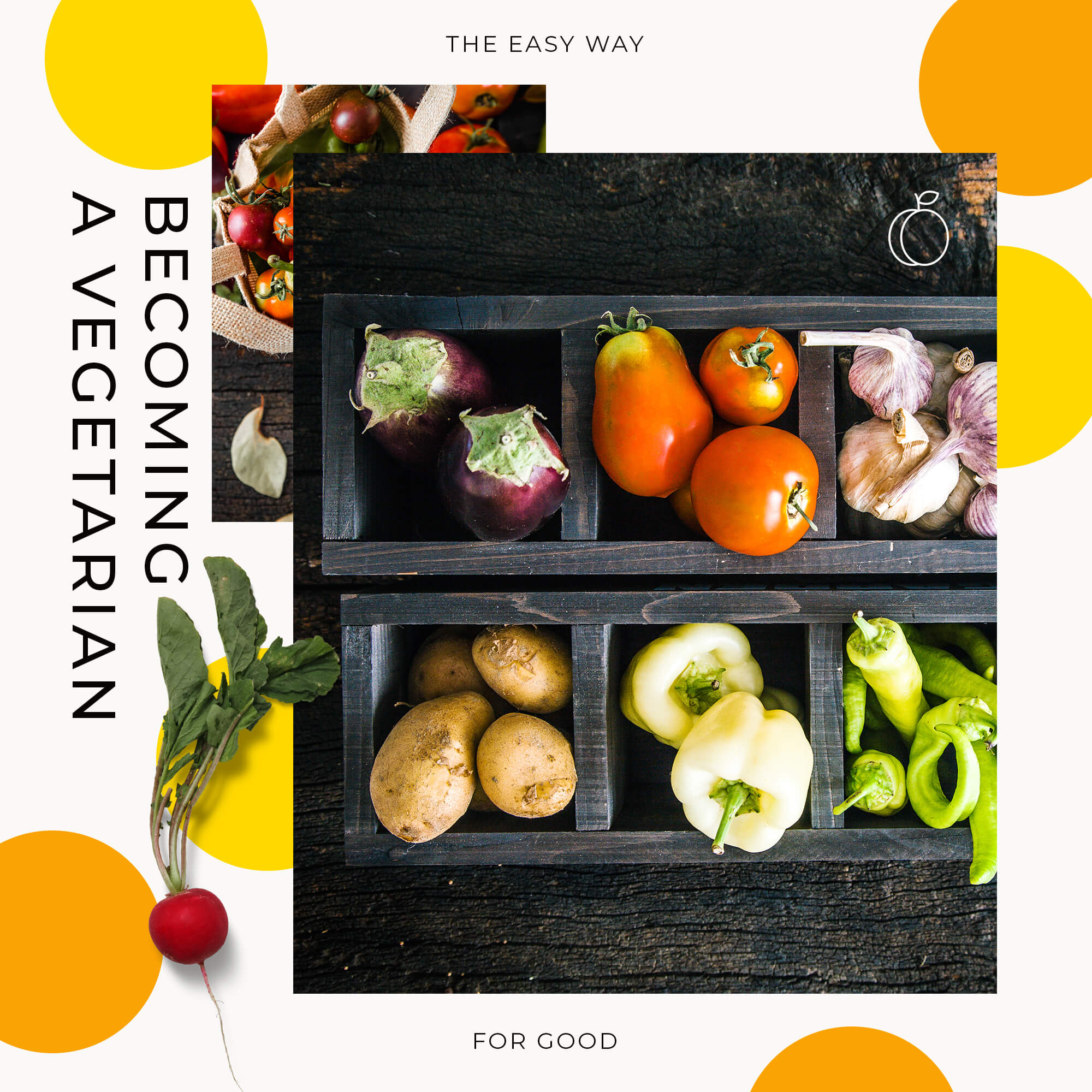
What products are currently helping brand new vegetarians transition into their new diet?
User driven Hipothesis
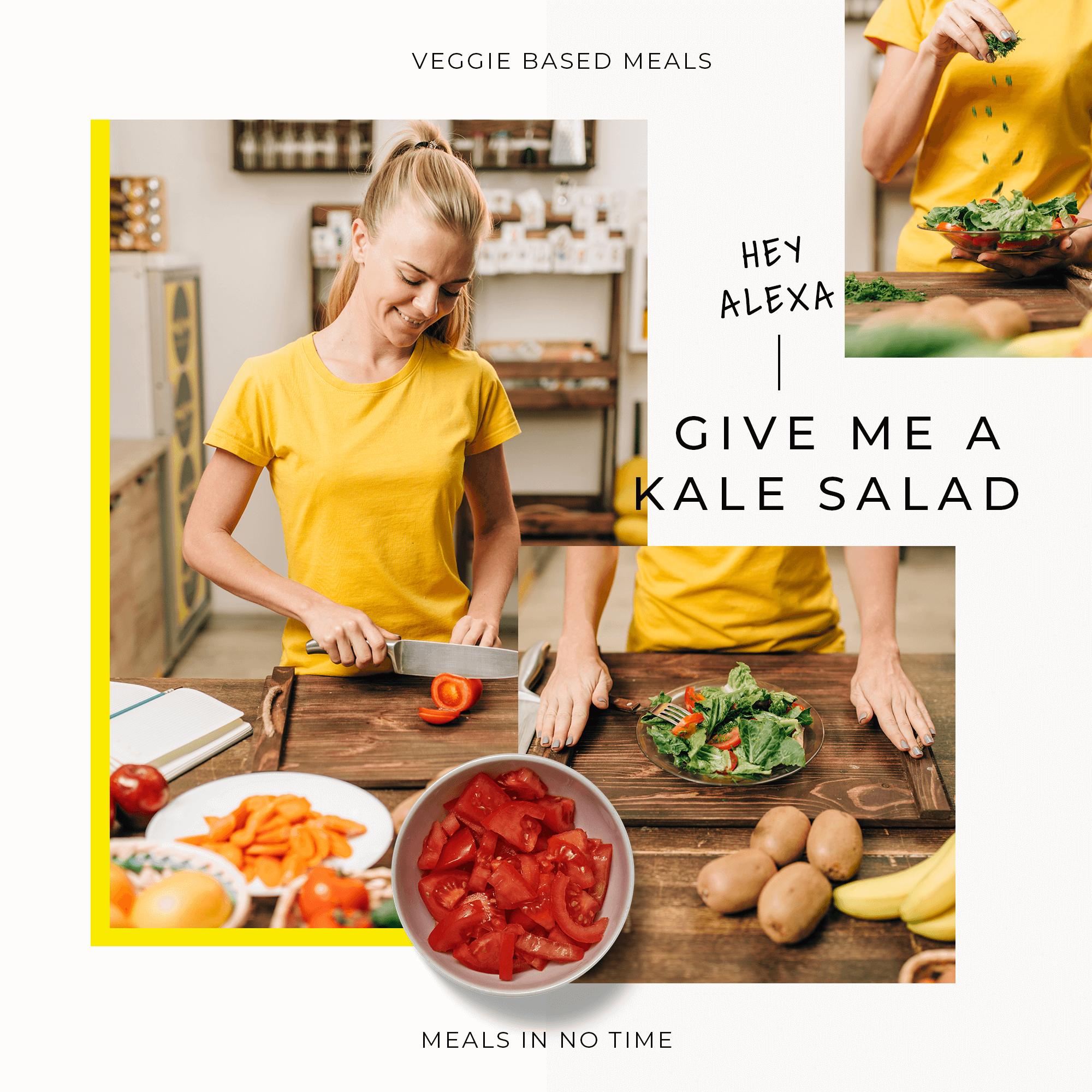
I believe that by creating an easy-to-use Voice app that lets new vegetarians focus on their new plan diet; and not on the food they are leaving behind. Veggie Newbie’s in-house Chef and Voice System, Margarita, will help users make delicious and quick meals, one step at a time.
Veggie Newbie let users focus on keeping their hands dirty; not their smart devices.
You can also ask Margarita to save recipes, find ingredient substitutes and even add ingredients to a grocery list!
Empathising with the User
Reframing the Problem
After watching my friends that were transitioning diet having difficulties to maintain the range and diversity of recipes in their diet, and being constantly confronted with a restricted number of options when eating at restaurants, I was curious.
How could new vegetarians be motivated to make the diet transition while feeling they aren’t missing out all the time?
Who are the users Veggie Newbie can impact?
I conducted guerrilla interviews with five friends and family members. Focusing on the experiences of my target users—busy professionals—helped me empathize with their struggles and deepened my understanding of their needs.
Based on my findings, I quickly sketched out the user persona Olivia:
If I find a way to cook my old-time favourite dishes, I won’t risk having to turn back to my old diet
Humanising the voice assistance
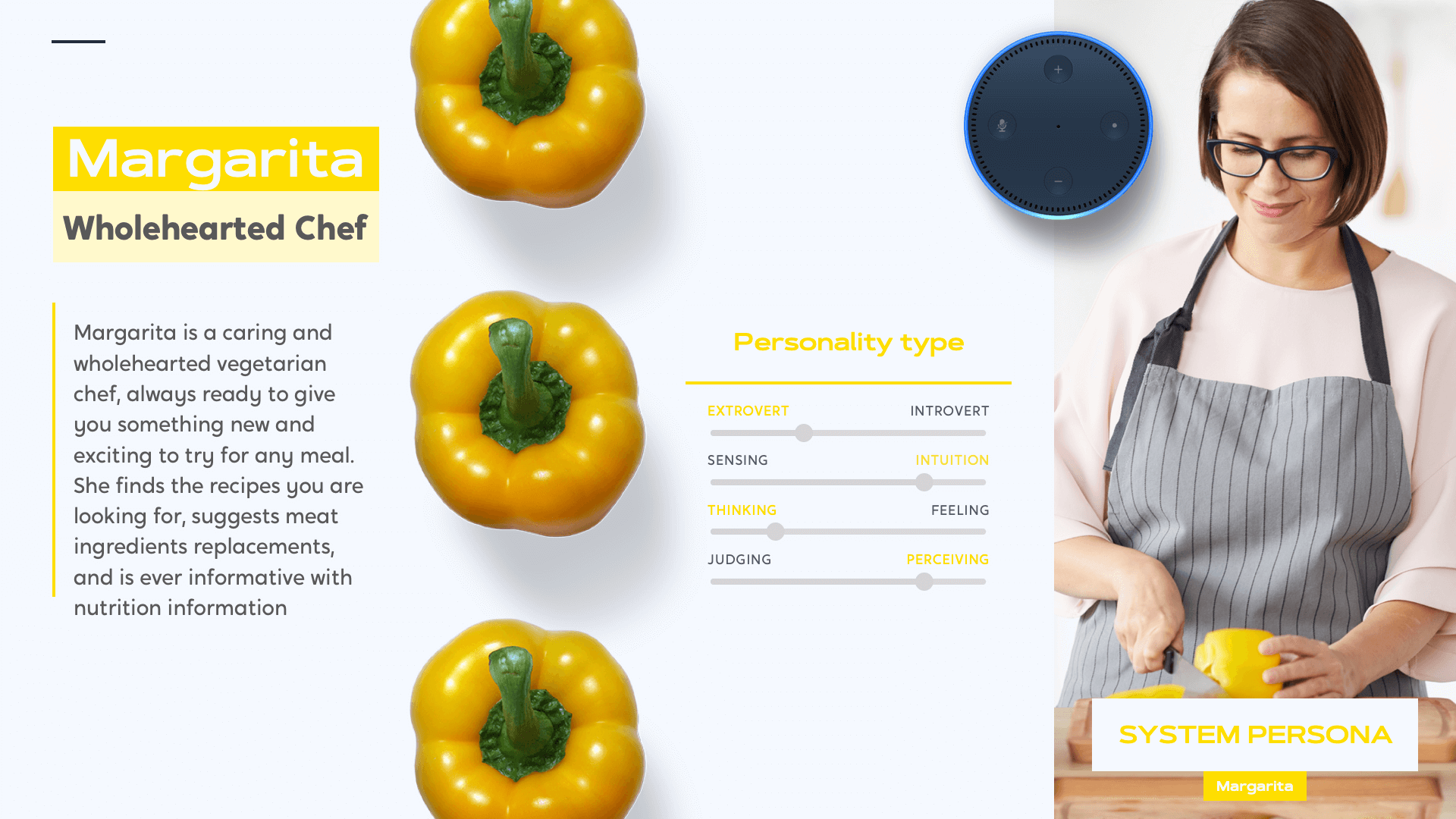
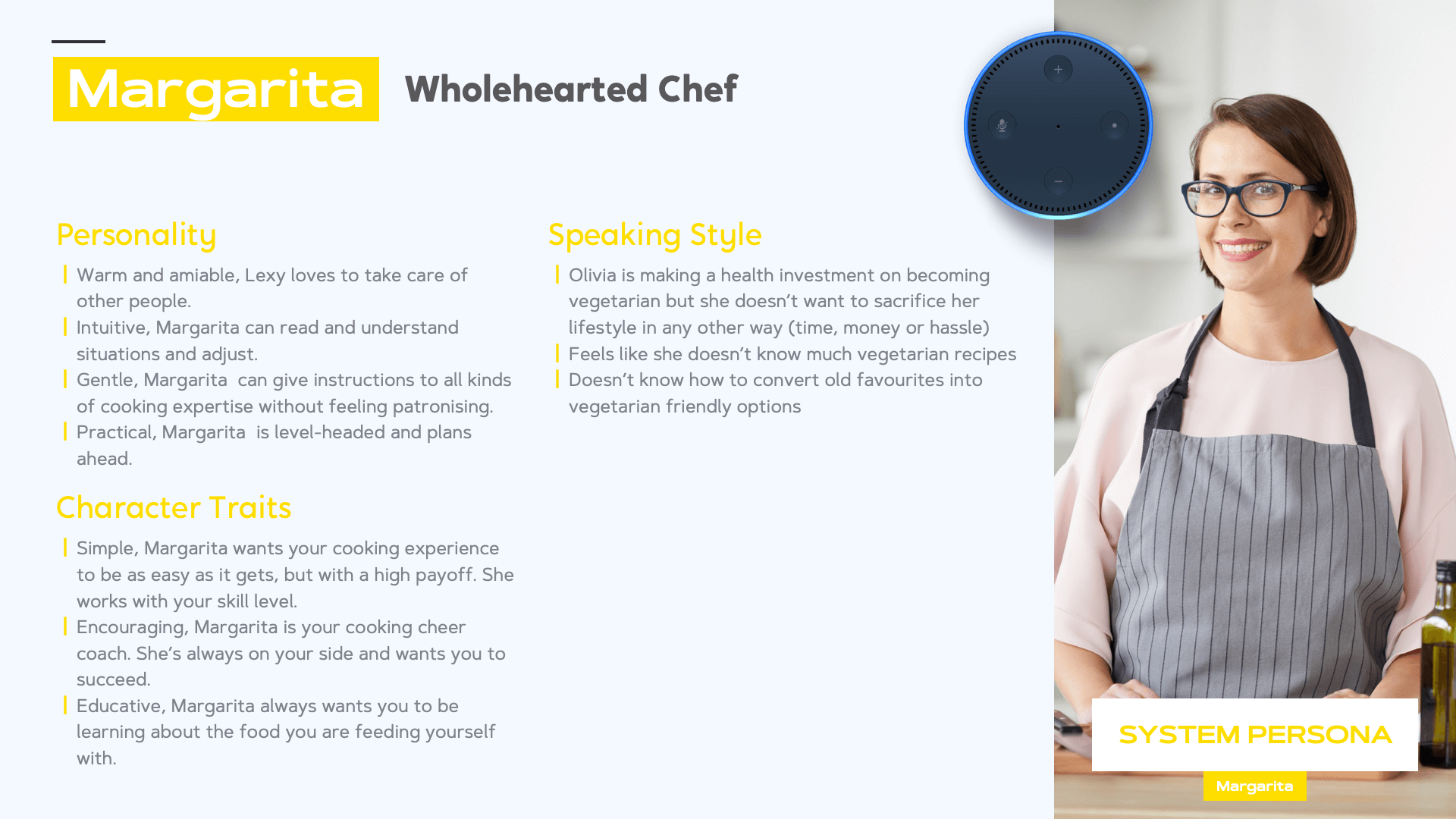
Developing a voice interface is a lot like developing a character that will be a part of someone’s life. The personality of an assistant plays a big role in how people feel about interacting with it. To inspire Olivia, I designed a system persona I create Margarita, a warm, upbeat and efficient sous chef. She has a gentle, but a fun personality that doesn’t distract from following recipe instructions.
User needs & user stories
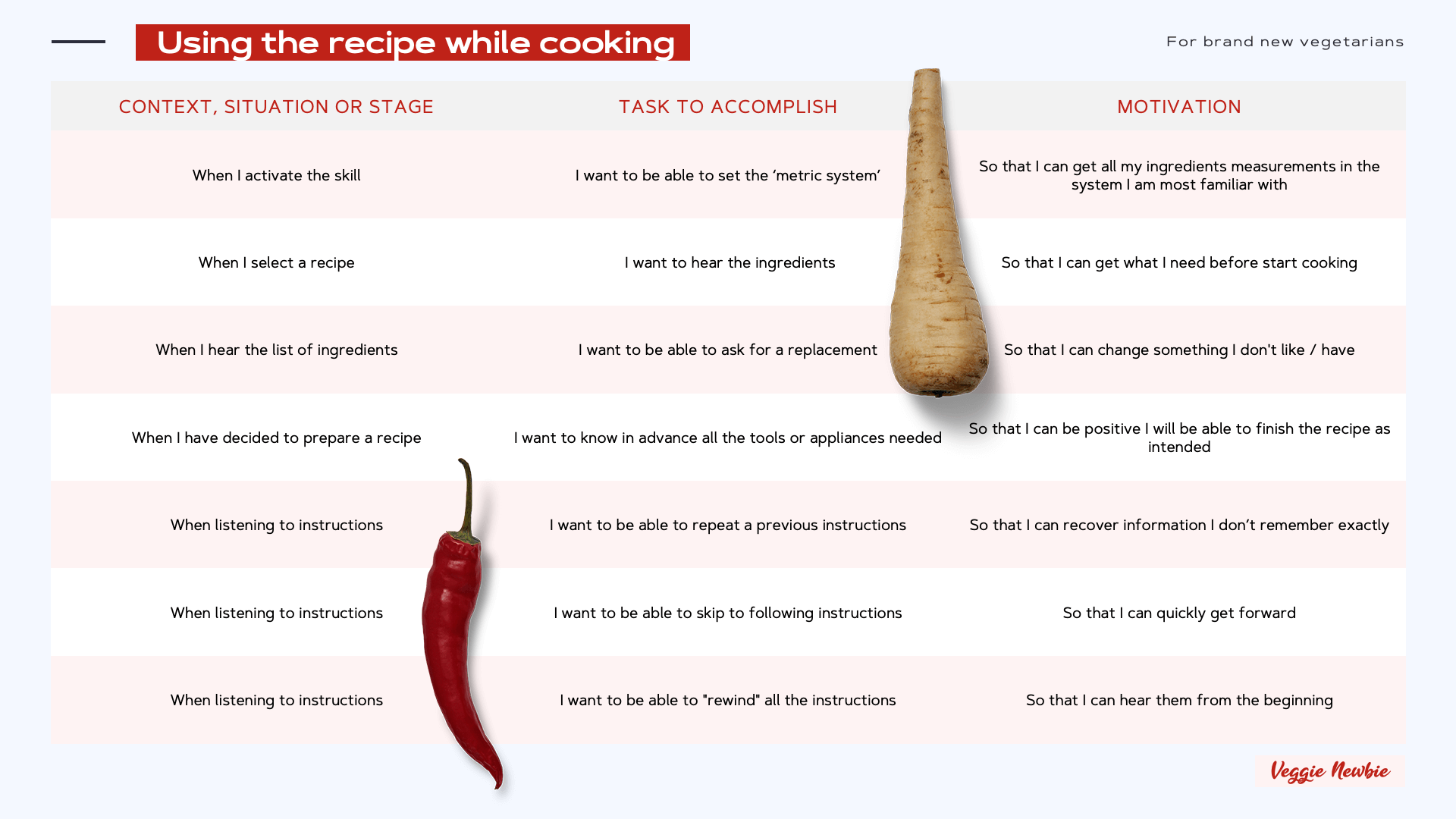
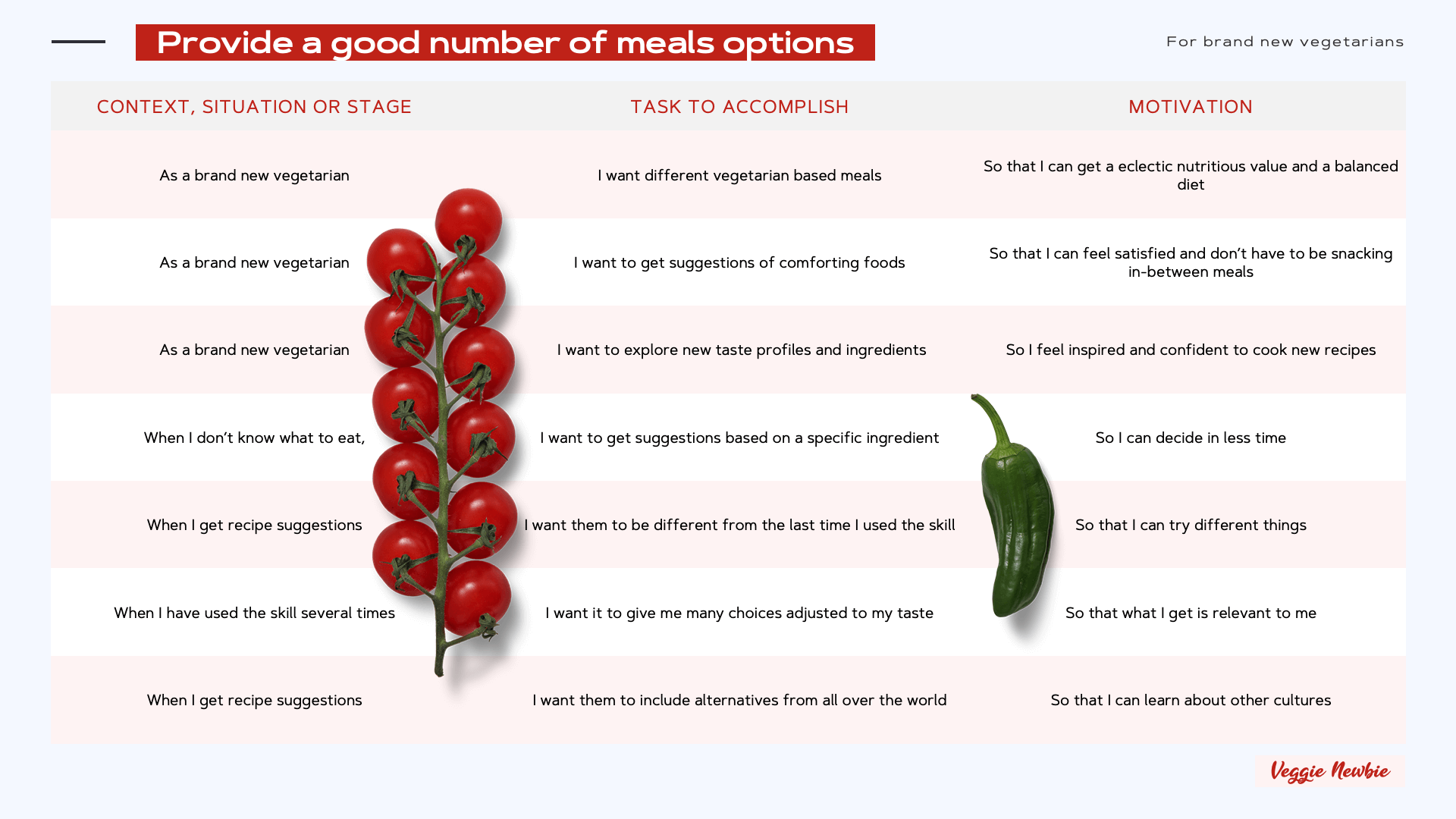
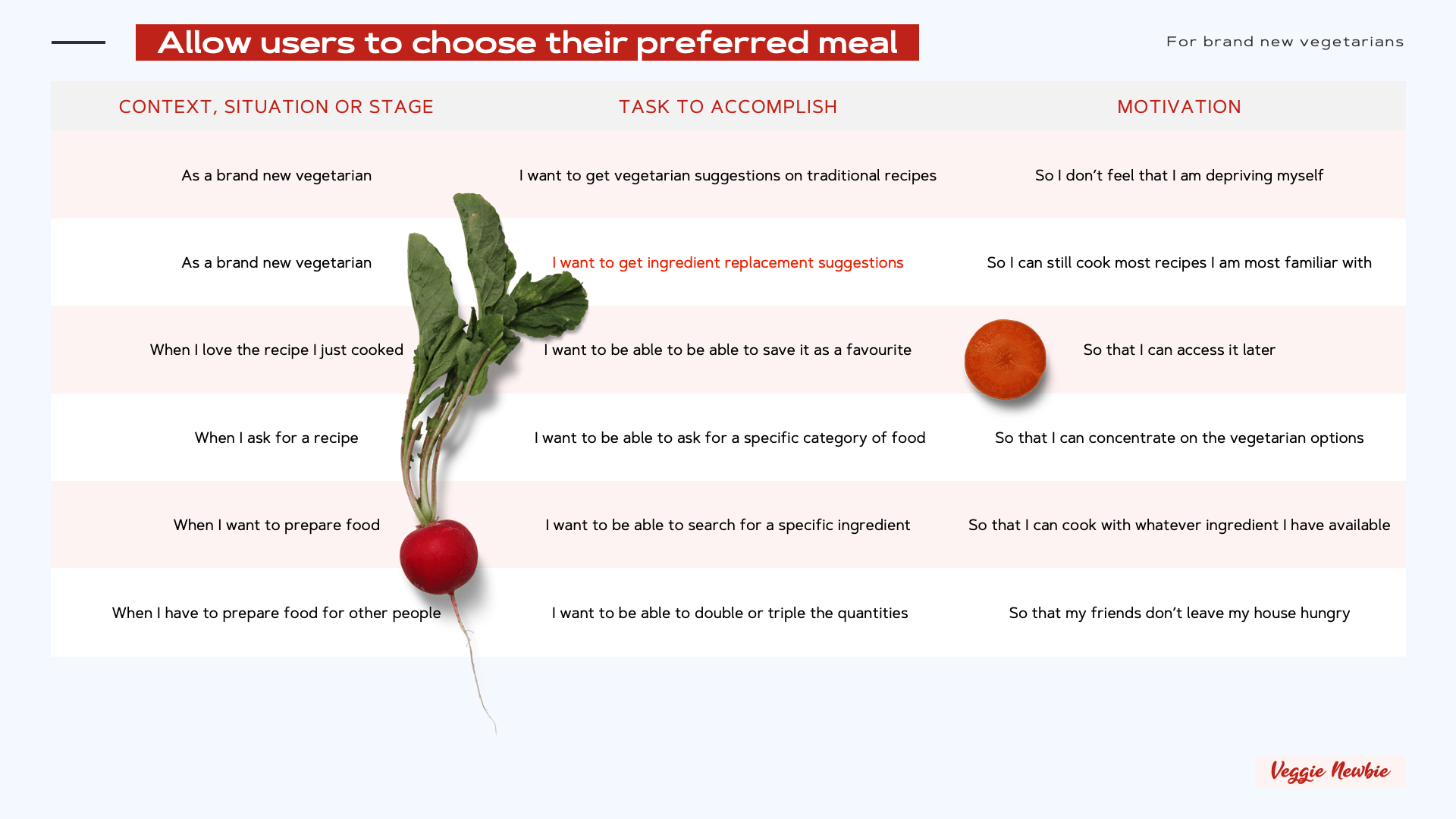
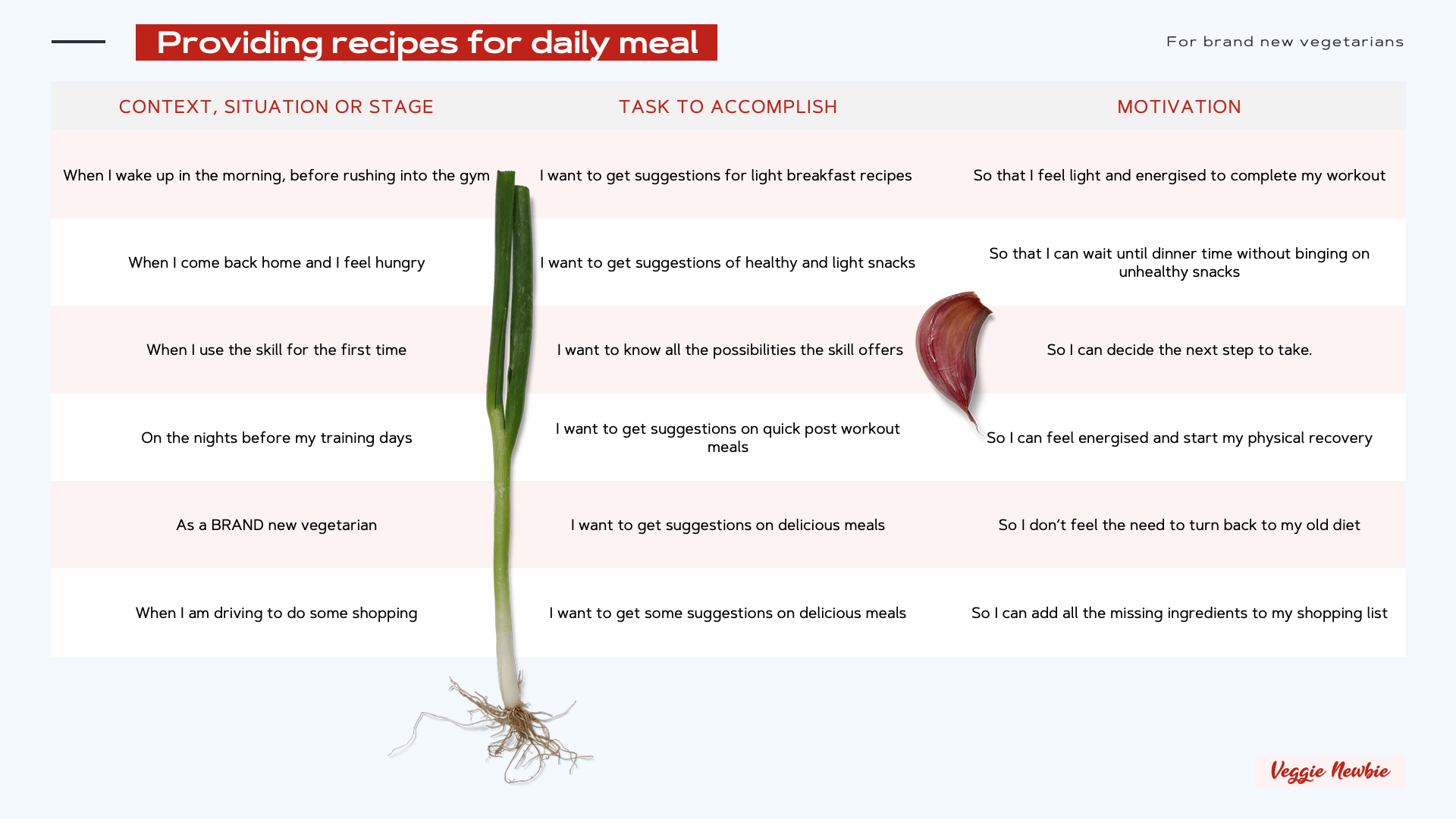
After identifying a target user group and developing a persona for the skill, I then identified the user needs. I broke each of them down into several different user stories to inform my conversation design.
Build & Design
Letting the Ideas Flow.
Defining the tasks to be accomplished
An overview of the main intents that were designed for Veggie Newbie!
These intents cover some key functionalities:
↘︎ Providing recipes for daily meal
↘︎ Allow users to choose their preferred meal
↘︎ Provide a good number of meals options
↘︎ Using the recipe while cooking
Please note: Saving a recipe for later is an intent that could theoretically be invoked at any point in the interaction, so no individual flow was mapped out.
Creating System Flows
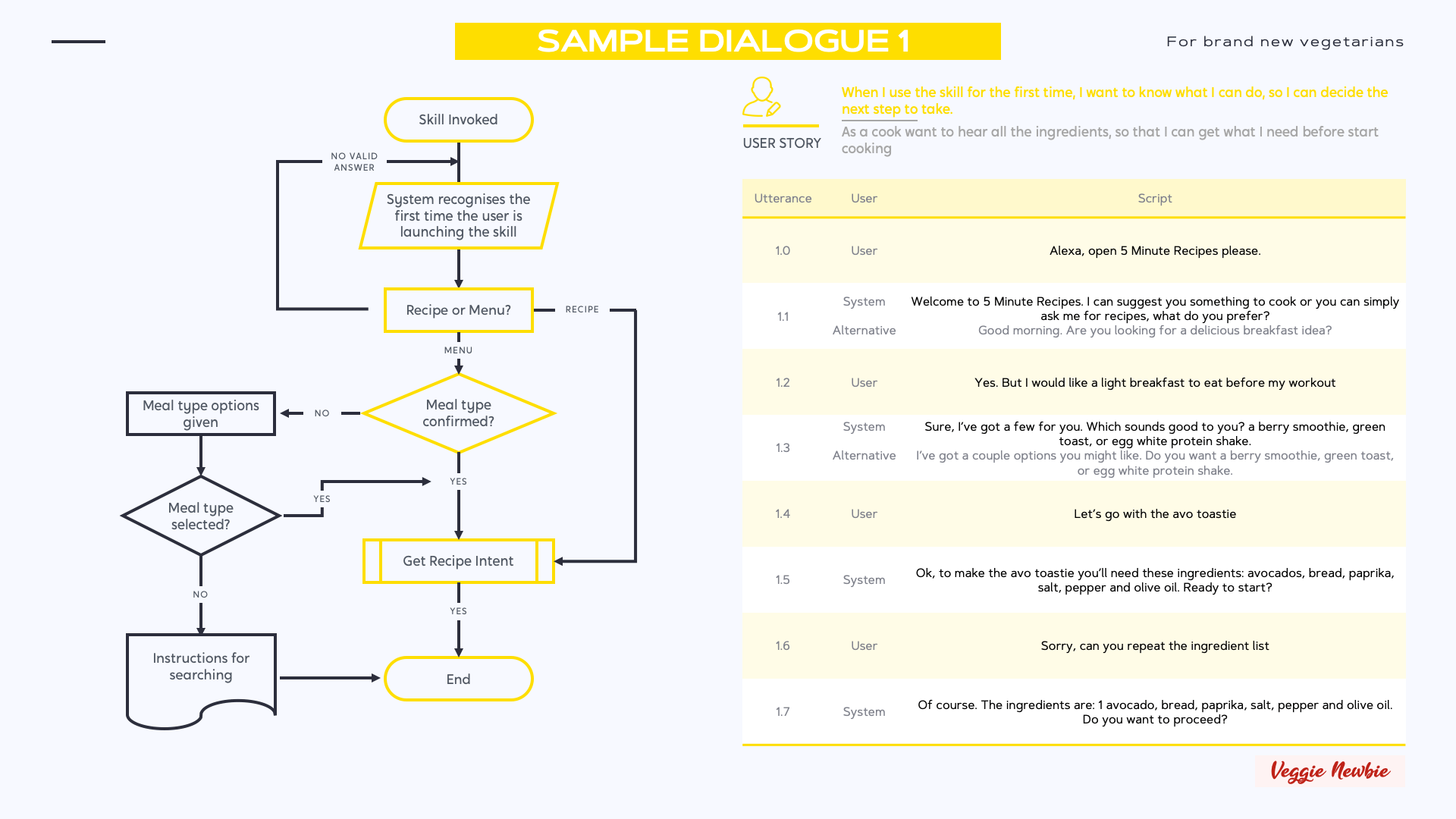
With the information gathered from user persona needs and briefing of the project, I began to create the system flows that would determine how the information would be inputted and output throughout the conversation exchanges. The creation of system flows gave me a full picture of every conversational option and helped me make sure that there were no loose ends or opportunities for the user to fall out of the loop of conversation. This also allowed me to identify the best moments to include a multimodal approach in future iterations.
Picking a meal type or recipe
When interacting with Margarita the Chef, users can ask for a type of meal (breakfast, lunch, dinner and a snack) or ask for a specific recipe.
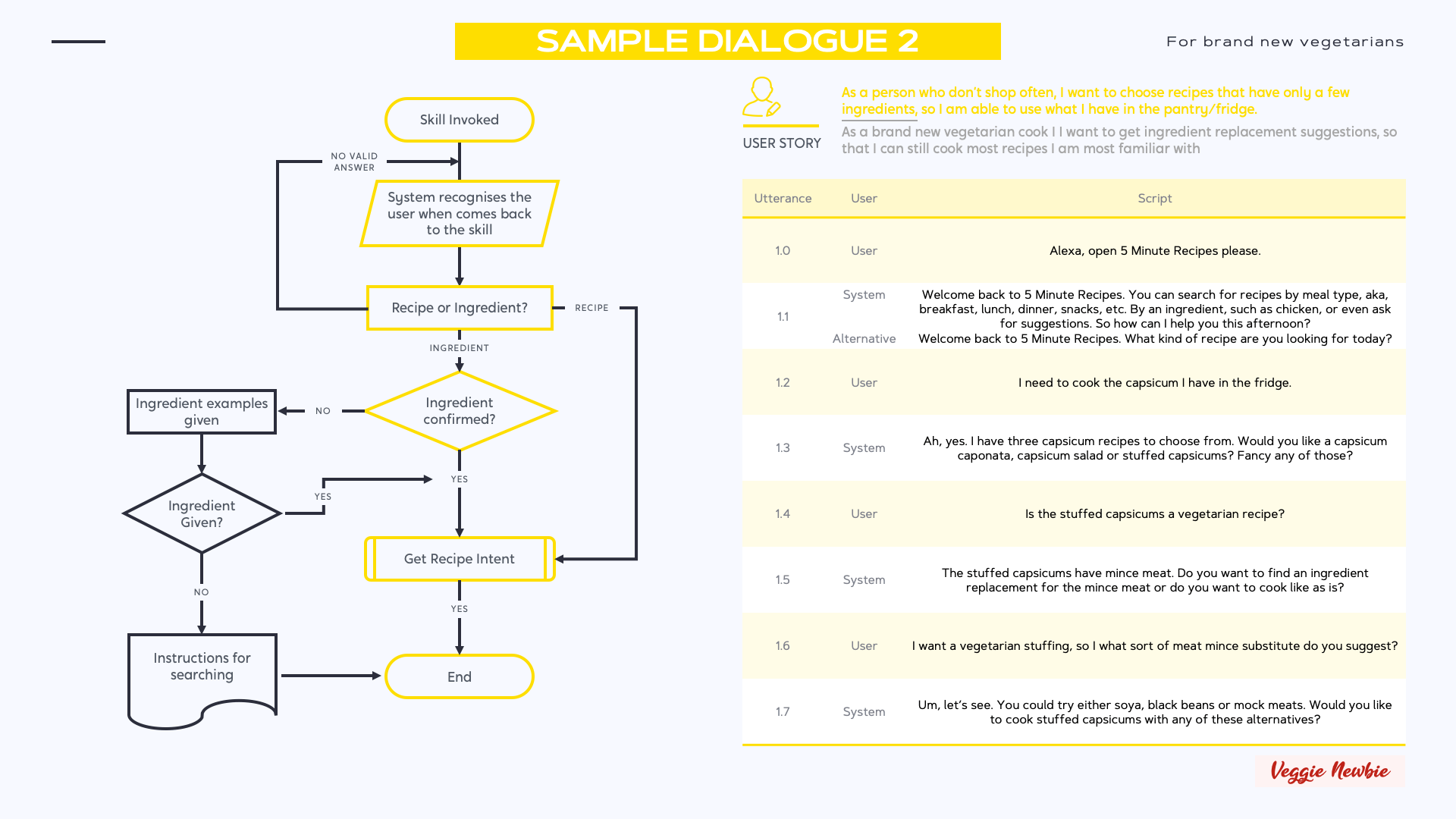
Getting the Ingredients
This flow starts midway in the last one, as users need to have provided a recipe or accepted a suggestion, to move onto getting the list of ingredients together.
Users can pick a new recipe, tell Margarita what ingredients they do have, and get help all within this Intent/Interaction.
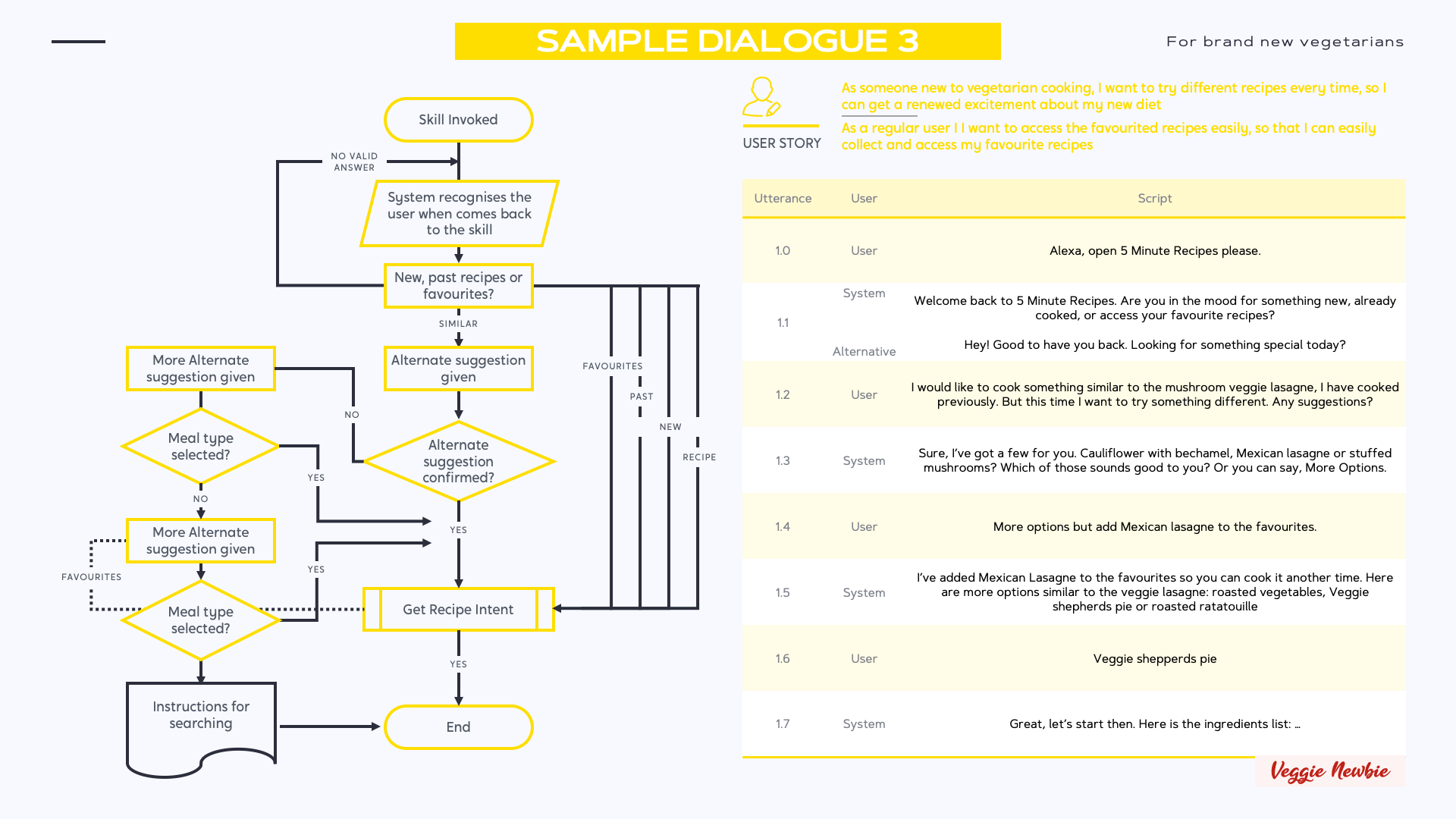
Choosing an alternative to a suggested recipe Recipe
Once a recipe has been suggested, users can ask Margarita for an alternative.
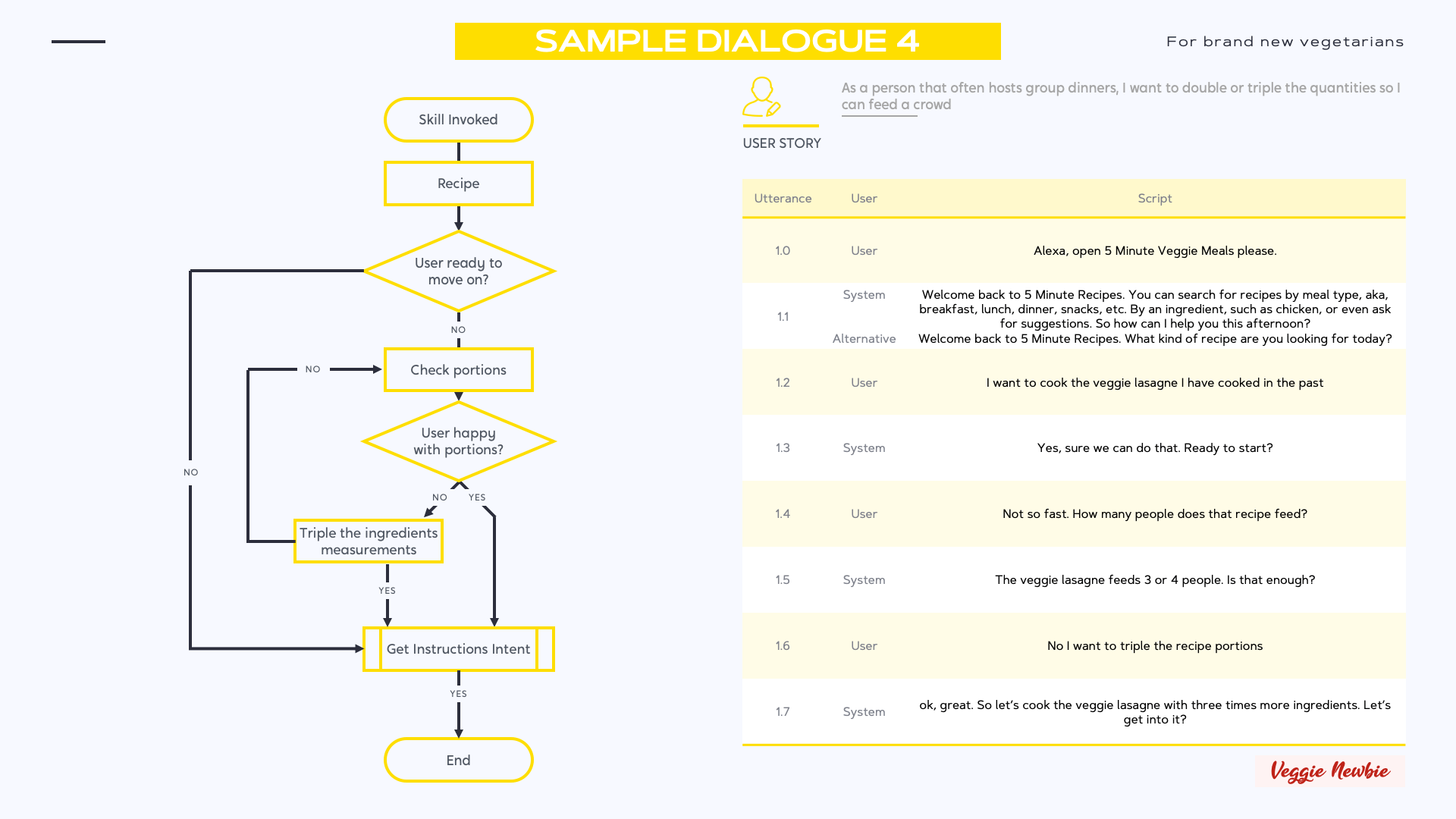
Increase or decrease the portions of each meal
Now that the user has picked a recipe allow the user to increase/decrease the portions of ingredients they are cooking so the user can adapt to the crowd they are feeding.
A key consideration to the logic of instructions is making sure the system knows when it needs to stop or when the instructions are complete - this is especially important when users are relying on the system (Margarita the Chef) to guide them to a successful endpoint. (A delicious meal.)
Designing the voice scripts
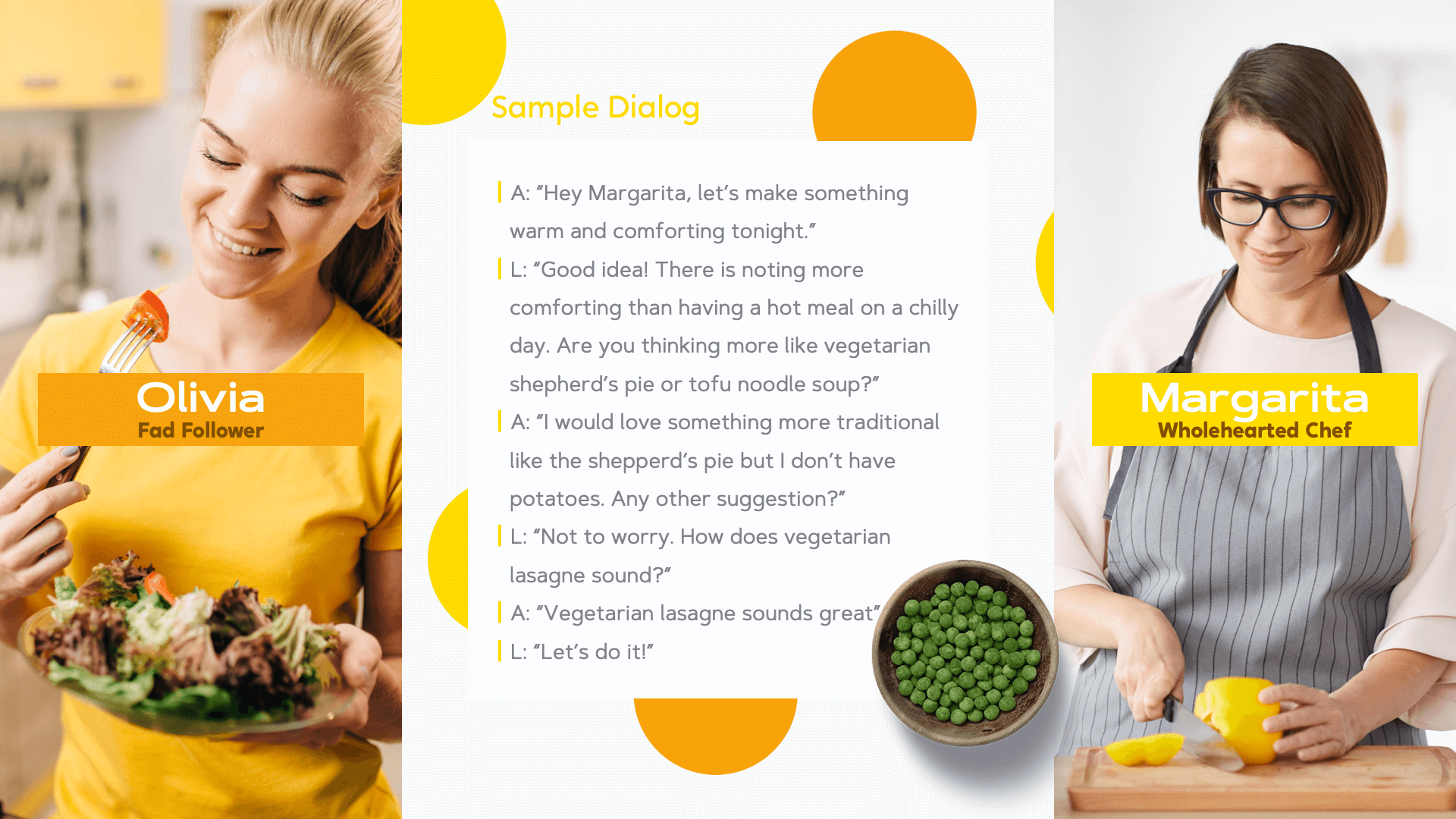
Once I knew how the conversational flow was structured, I was able to turn each output and response into a properly fleshed out dialogue. Taking into account issues of cognitive load and memory, I developed a dialogue that allows users immediate access to the most relevant pieces of information while maintaining Margarita’s personality.
Test & Launch
Putting Ideas to the test.
Putting my ideas to the test?
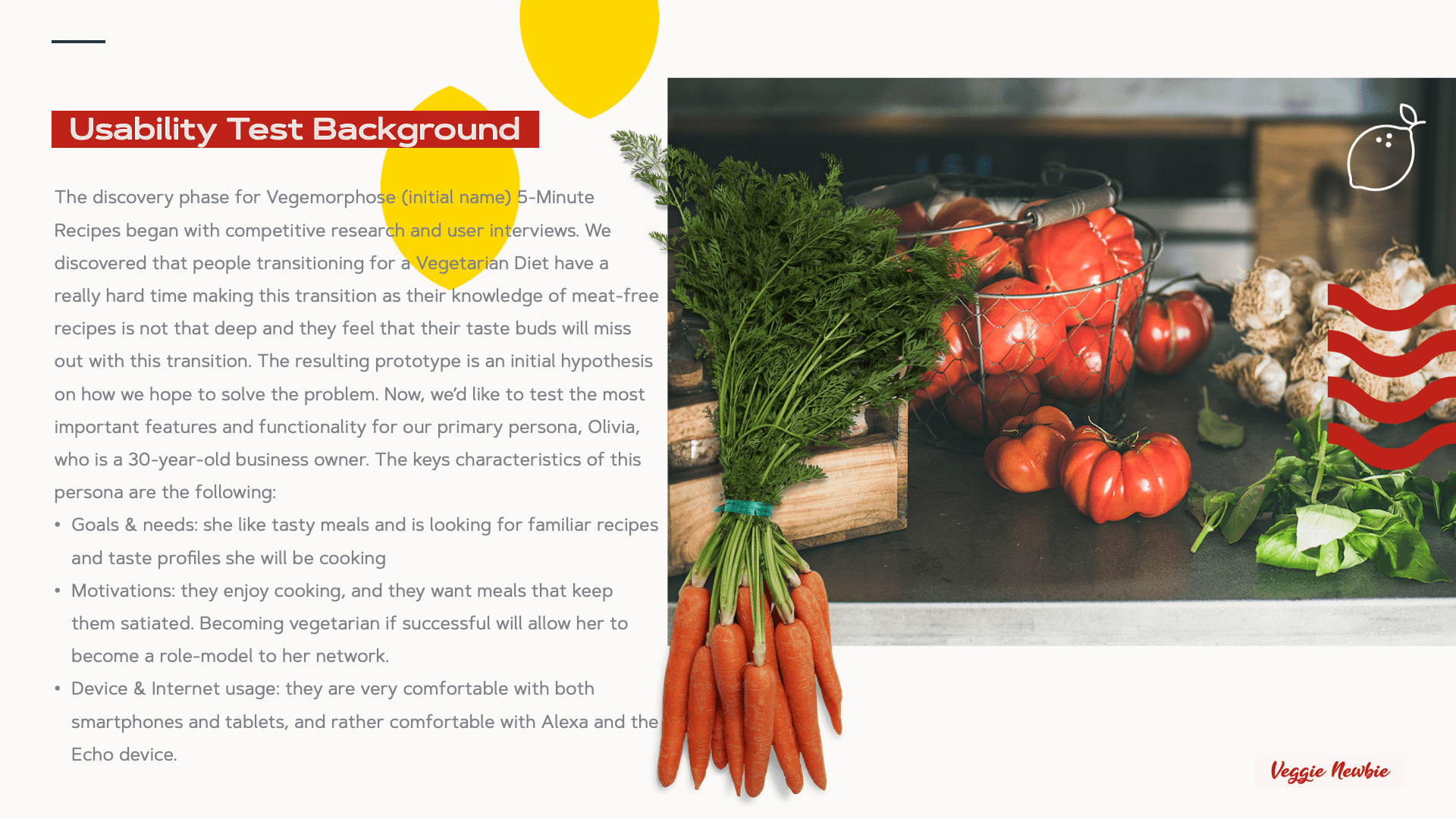
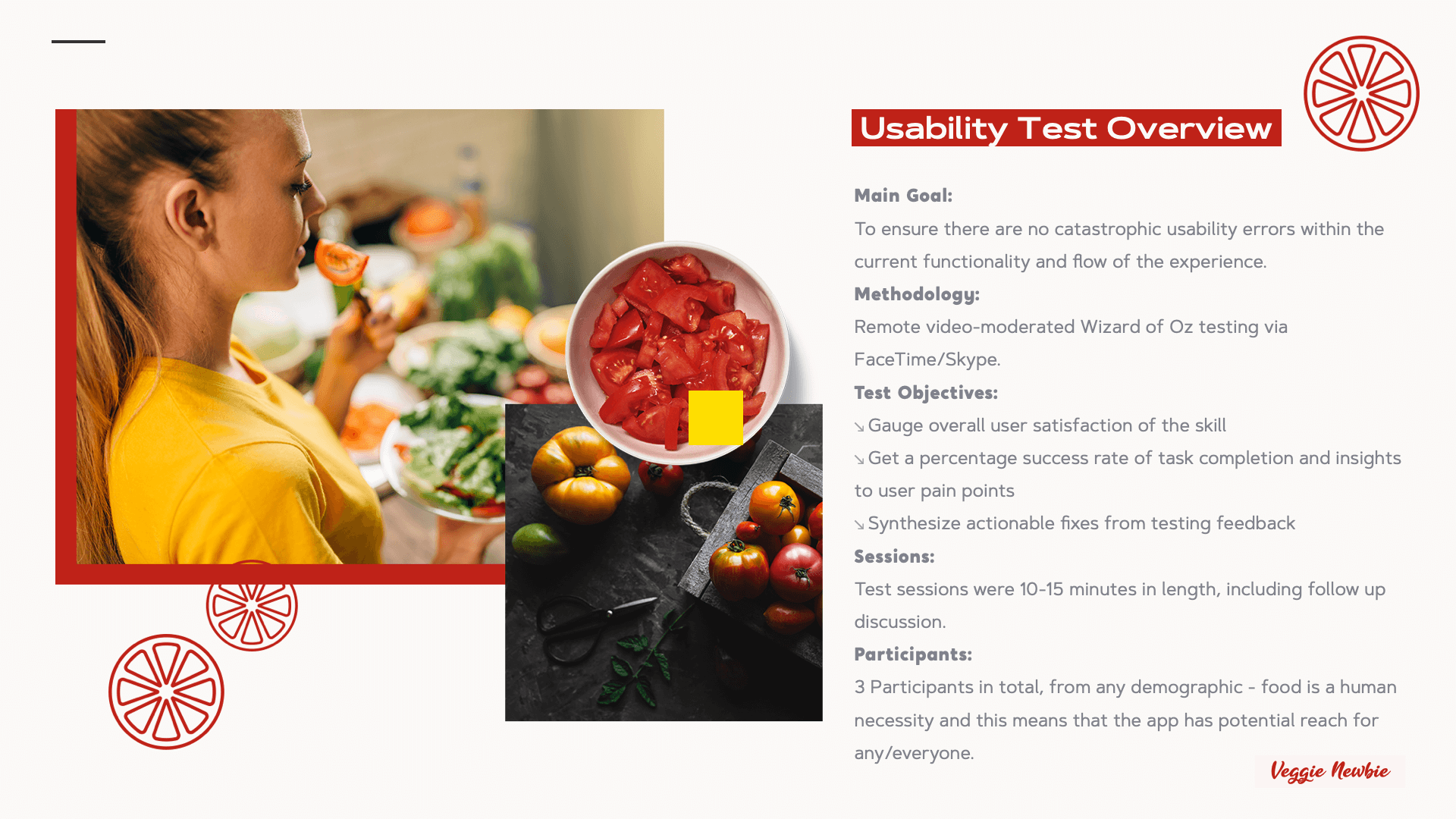
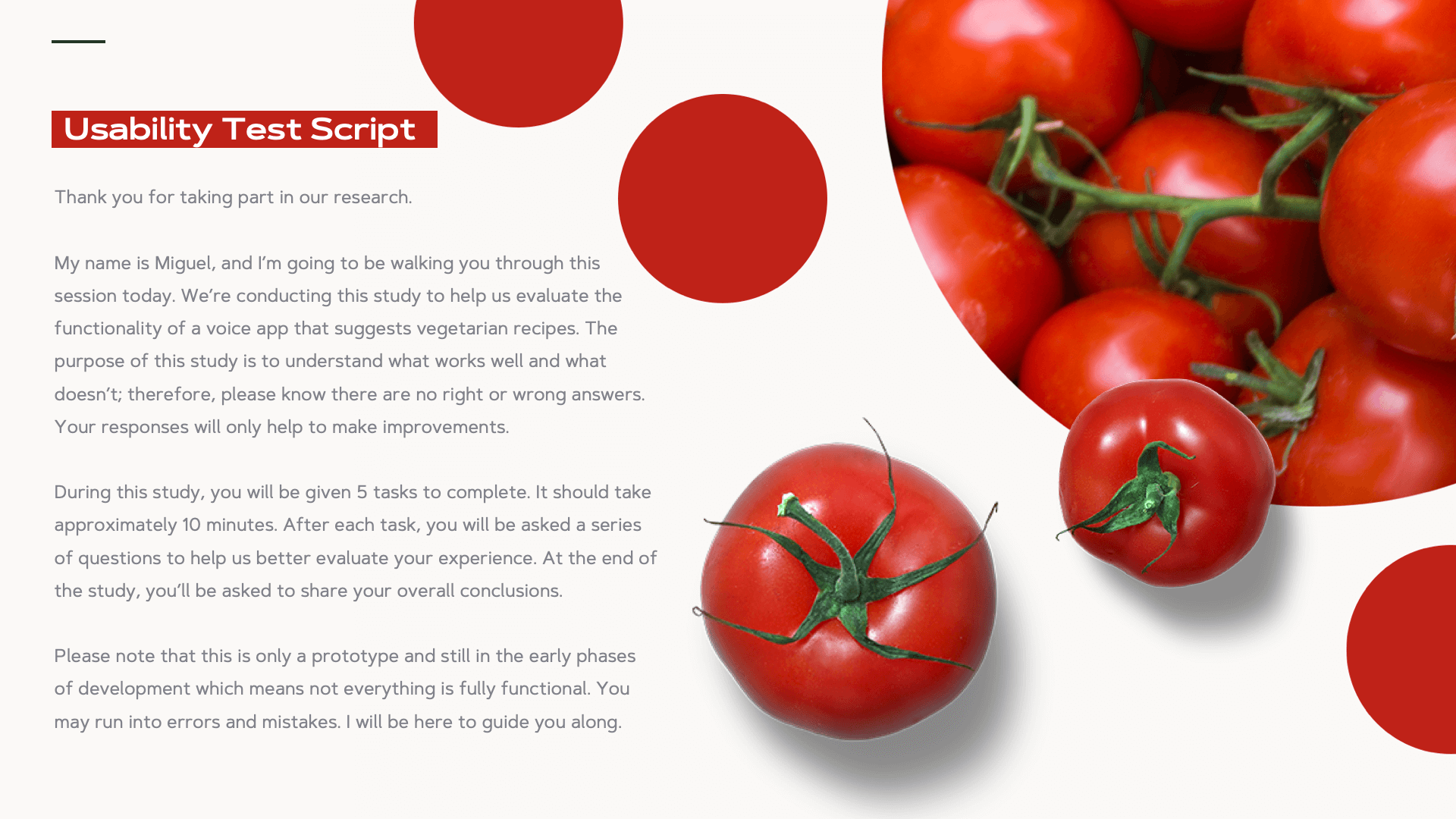
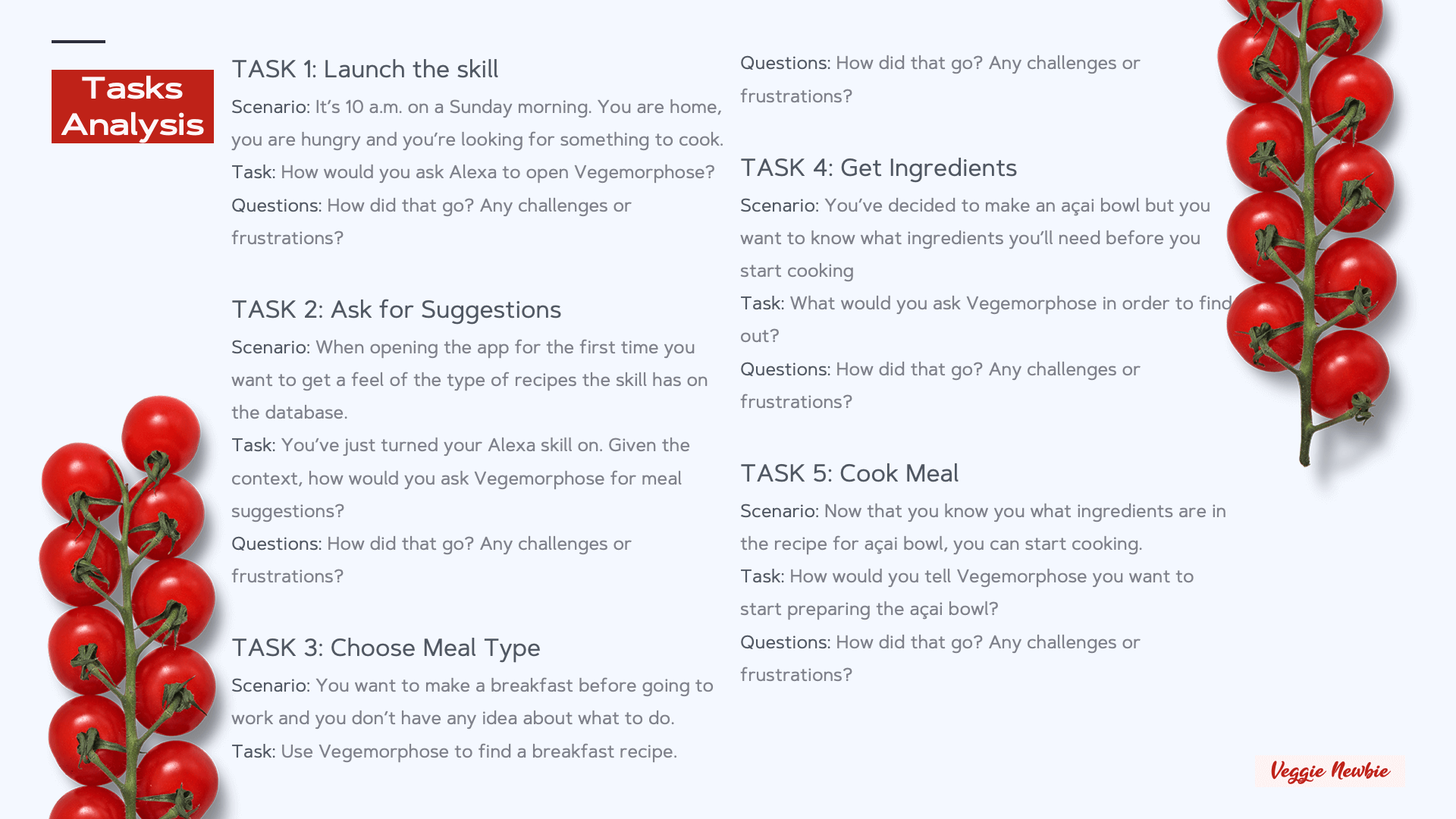
In order to understand if my initial prototype would help new vegetarians transition to their diet, I did some usability testing. This was carried out via Amazon Alexa, Amazon Developer Console and modified pre-existing app code.
Measure & Learn
Takeaways for future projects
Potential Next Steps for Veggie Newbie
↘︎ Creating a graphic user interface to go along with the voice experience for a multimodal application that’s more accessible for users with disabilities (like hard of hearing)
↘︎ More detailed branding of the experience as a whole, both visual and language
What I Learned
Over this design sprint and over the month working in Amazon Alexa developer console and the VUI Design program through CareerFoundry, I learned:
↘︎ How to design for Voice Interactions and provide accessible user experience by utilizing multimodal applications and my existing knowledge of UX + UI
↘︎ How to create voice scripts for voice interactions and test them with users
↘︎ How to incorporate a System Persona (Anita the Chef) into the design of the experience, much like User Personas but with some unique differences from a purely graphical user experience
↘︎ How to design experiences that respect users’ privacy and data